

Download KisMAC – Advanced Wi‑Fi Stumbler for macOS
Overview
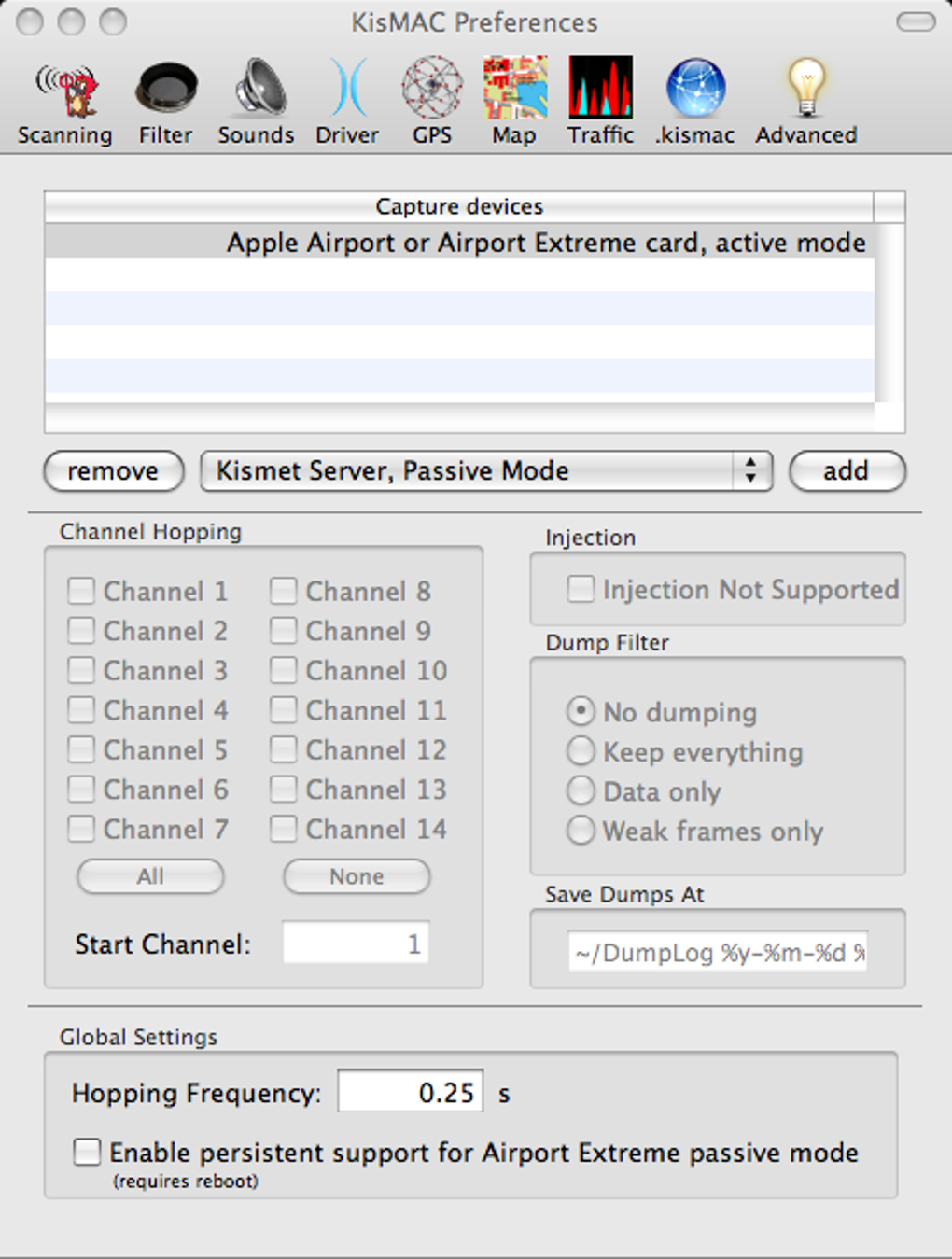
KisMAC is a powerful passive wireless network scanner designed exclusively for macOS X. Built for security professionals, network administrators, and hobbyists alike, the tool combines a clean Mac‑native interface with deep chipset support, allowing users to discover and analyse Wi‑Fi networks in real time. When you launch KisMAC, the first step is to select a compatible driver – a process that can feel daunting at first, but once mastered, unlocks the full potential of the application.
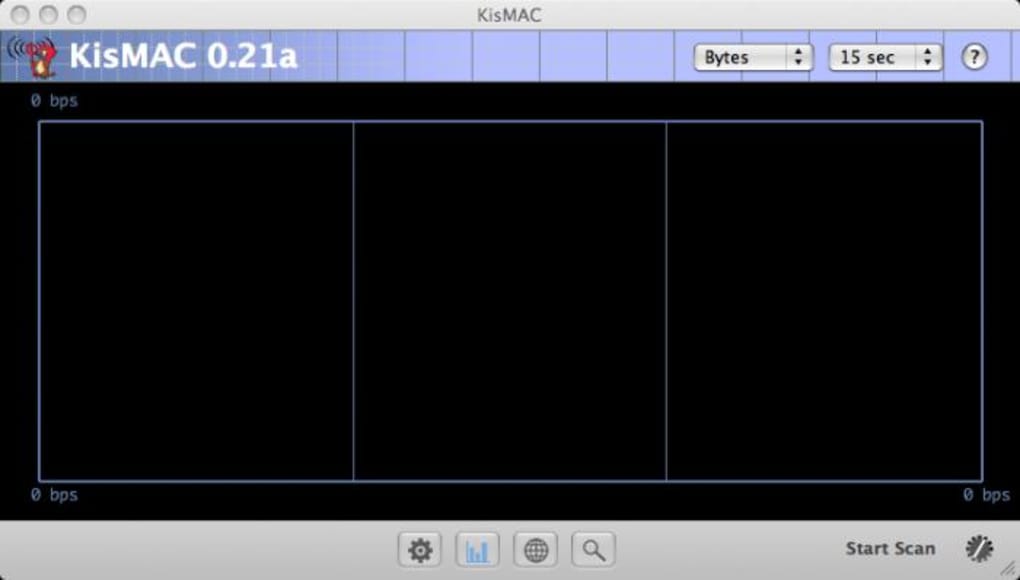
From there, KisMAC begins to map surrounding access points, displaying SSIDs (even hidden or cloaked ones), signal strength, channel usage, and client details. One of the most striking visual aids is the graph view, which plots signal quality over time, helping you spot interference or coverage gaps. For field work, KisMAC integrates with the Mac’s CoreLocation framework, offering a world‑map view that records GPS coordinates for each detected network.
This feature makes it an excellent companion for site surveys or academic research. While the software includes several WEP‑cracking modules, these are intended strictly for testing your own networks and should never be used for unauthorized access. The program’s breadth of supported chipsets – ranging from Apple Airport cards to Cisco Aironet and Lucent Hermes – ensures that most modern Mac hardware can be leveraged without additional dongles.
Regular updates have refined driver stability, reduced logging noise, and fixed crashes related to USB and CoreLocation handling, making the current version a reliable, free, and secure addition to any wireless auditing toolkit.
Key Features
- Passive scanning that never transmits, keeping the process completely undetectable.
- Support for a wide range of Wi‑Fi chipsets, including Apple Airport, Cisco Aironet, Lucent Hermes I & II.
- Detailed network information: SSID, BSSID, channel, encryption type, signal strength, and client list.
- Graphical signal‑strength chart that updates in real time for quick performance assessment.
- World‑map GPS integration using CoreLocation, allowing you to plot network locations globally.
- Multiple driver selection with automatic fallback to the active Airport driver when none is set.
- Built‑in WEP cracking tools for legitimate security testing of your own infrastructure.
- Extensive log management with options to redirect logs to ~/Library/Logs/KisMAC.log.
- Frequent bug‑fix releases that address USB driver crashes, CoreLocation initialization issues, and UI color bugs.
- Free, open‑source distribution with regular community‑driven updates and documentation.
Each feature is engineered to keep the user experience intuitive while delivering the depth required for professional wireless analysis. The passive nature of KisMAC means that the tool does not broadcast probe requests, which is essential when you need to remain invisible to network administrators or potential attackers. The driver architecture, though initially challenging, gives you granular control over the hardware, ensuring you can maximize the capabilities of older Macs that still house functional Wi‑Fi cards.
The GPS mapping feature is particularly useful for outdoor surveys, letting you export KML files for integration with Google Earth or other mapping services. Because the software is free and open‑source, there is no hidden cost, and you can trust that the community continuously reviews the code for security and performance. Whether you are preparing for a penetration test, conducting a campus‑wide coverage study, or simply curious about the wireless landscape around you, KisMAC offers a comprehensive, secure, and up‑to‑date toolbox.
Installation & Usage Instructions
Getting started with KisMAC is straightforward, but a few preparatory steps will save you time. First, download the latest DMG file from the official project page – the package is free and signed by the developers, ensuring a secure installation. Open the DMG, drag the KisMAC.app icon into your Applications folder, and launch the program. macOS will prompt you to confirm that you want to open an application downloaded from the internet; click “Open” to proceed.
The first launch triggers the driver selection wizard. Review your Mac’s hardware by opening “About This Mac” → “System Report” → “Network” → “Wi‑Fi”. Look for the “Vendor” and “Model” identifiers; these will guide you in choosing the correct driver from KisMAC’s list.
If you own an Apple Airport card, the default “Active Airport” driver usually works; for third‑party adapters, select the corresponding driver (e.g., Cisco Aironet). Once the driver is set, KisMAC will restart its scanning engine automatically.
The main interface is divided into three panes: the network list on the left, a detailed information panel in the centre, and a visual map or graph view on the right. Click any network entry to reveal its SSID, encryption type, channel, and connected clients. To start a GPS‑enabled survey, enable CoreLocation in the preferences – the application will request permission to access your location.
When granted, the world‑map view will begin plotting points as you move, each tagged with signal strength and timestamp. For deeper analysis, select a network and choose “Show Graph” to monitor signal fluctuations over a configurable period. If you need to test the resilience of your own WEP network, navigate to the “Crack” tab, select the target, and launch the built‑in cracker; the process will automatically capture the required IVs and attempt to recover the key.
Remember, this functionality is intended only for networks you own or have explicit permission to test.
After each scanning session, you can export results in CSV or KML formats for further processing in spreadsheet tools or GIS applications. Regularly check for updates via the “Check for Updates” menu; the developers release patches that improve driver compatibility and fix known bugs. Finally, for power users, the Preferences panel offers advanced options such as log verbosity control, custom driver paths, and automatic reconnection to the last used driver. By following these steps, you’ll have a secure, fully functional Wi‑Fi stumbler ready to map, analyse, and secure your wireless environment.
Conclusion, Compatibility, Pros & Cons, and FAQ
Compatibility & System Requirements
KisMAC runs on macOS 10.6 (Snow Leopard) through macOS 12 (Monterey). The application requires a Mac equipped with a compatible Wi‑Fi chipset; supported hardware includes Apple Airport cards, Cisco Aironet adapters, and Lucent Hermes I & II chipsets. While the software is optimized for Intel‑based Macs, it also functions on Apple Silicon devices through Rosetta 2 translation, though native driver support may be limited.
KisMAC does not support Windows, Android, or iOS – users of those platforms must look for alternative tools such as NetStumbler (Windows) or Wi‑Fi Analyzer (Android). Minimum RAM requirement is 2 GB, and at least 200 MB of free disk space is needed for logs and exported data. A stable internet connection is recommended for driver updates and map data retrieval.
Pros and Cons
- Pros:
- Completely free and open‑source – no hidden fees.
- Extensive chipset support covering most Mac Wi‑Fi hardware.
- Passive scanning keeps the process undetectable.
- Integrated GPS mapping for field surveys.
- Rich visualisations: graphs, world map, and client lists.
- Regular updates improve stability and driver compatibility.
- Cons:
- Initial driver selection can be confusing for beginners.
- WEP cracking features are outdated; no WPA/WPA2 support.
- Limited to macOS – no native Windows or mobile versions.
- Some newer Wi‑Fi chipsets lack driver support.
Frequently Asked Questions
Is KisMAC safe to download and install?
Yes. The official download is hosted on the project's GitHub page and is digitally signed. Always verify the checksum provided on the download page to ensure the file has not been tampered with.Can I use KisMAC on the latest macOS Ventura?
KisMAC is compatible with macOS 10.6 through macOS 12 (Monterey). Ventura (macOS 13) is not officially supported yet, but many users report it works under Rosetta 2 with limited driver functionality. Check the project’s issue tracker for the latest updates.Do I need an external Wi‑Fi adapter?
Not necessarily. Most modern Macs include an Apple Airport card that KisMAC can use out of the box. However, if you need to scan on frequencies or channels not supported by the built‑in card, an external adapter with a supported chipset may be required.Is the WEP cracking feature legal?
The cracking tools are intended for legitimate security testing of networks you own or have explicit permission to audit. Unauthorized cracking of someone else's Wi‑Fi network is illegal in most jurisdictions and violates the software’s end‑user license.How do I export scan results for further analysis?
KisMAC provides Export options in CSV for spreadsheets and KML for geographic tools. From the File menu select “Export” and choose the desired format; the exported file includes SSID, BSSID, signal strength, GPS coordinates, and timestamp.Final Verdict & Call to Action
KisMAC remains one of the most feature‑rich, free Wi‑Fi stumbler available for macOS. Its passive scanning engine, comprehensive chipset support, and GPS mapping capabilities make it a valuable asset for anyone serious about wireless security or site surveying. While the lack of WPA/WPA2 cracking limits its use in modern penetration testing, the tool’s core strengths—visibility, stability, and an open‑source ethos—outweigh these gaps for most users. If you are looking for a secure, free, and regularly updated wireless analysis tool for your Mac, KisMAC is ready to download today. Click the link below to get the latest version, follow the simple installation steps, and start mapping the wireless world around you.







